Google Workspace email signatures, managed for your whole team
Deploy professional, on-brand email signatures to every Gmail account in your organization. One dashboard, one click, done. No IT involvement, no chasing employees.
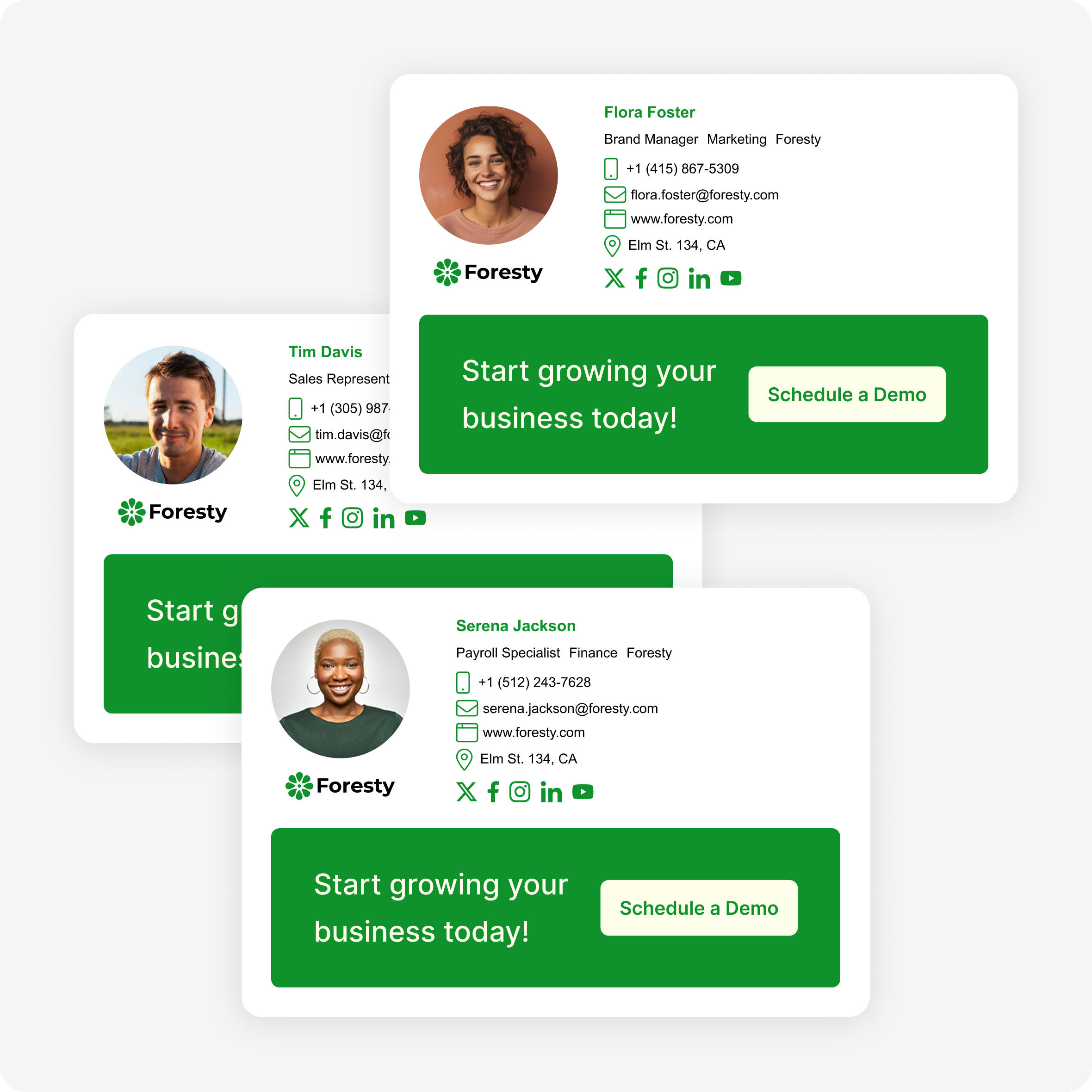
Google Workspace's built-in signature tool isn't enough for teams
Google Workspace lets each employee set their own signature, which means every person formats it differently, uses different fonts, puts different information, or doesn't update it when details change.
Firma gives admins central control. You design the signature, you deploy it, and every Gmail account in your domain gets it, whether you have 5 employees or 500.
Without Firma
- ✕ Each employee sets their own signature manually
- ✕ Outdated phone numbers and job titles across the team
- ✕ No consistent branding, everyone formats it differently
- ✕ New hires fall through the cracks without a signature
With Firma
- Admin designs and deploys the signature once
- Every Gmail account updates instantly
- Consistent branding on every outbound email
- New hires get their signature on day one
Everything you need for Google Workspace email signature management
A complete signature manager built for how Google Workspace admins actually run their organization.
1-Click Marketplace Install
Install Firma directly from the Google Workspace Marketplace. No manual setup, no IT ticket. Deploy signatures to your entire organization in one click.
Deploy to Every Gmail Account
Push signatures to all employees at once from a single dashboard. Every Gmail account in your domain gets the right signature, automatically.
Instant Sync Across Your Domain
Update a signature once and it propagates across your entire Google Workspace domain immediately. No employee action required.
Admin-Controlled Signatures
Admins set the signature. Employees use it. No more signature drift from people editing their own. Your brand stays consistent across every email.
Per-Team Signature Templates
Sales, support, marketing: each team can have its own signature template while keeping shared branding elements consistent.
Renders Perfectly in Gmail
Firma signatures are built and tested to render pixel-perfect in Gmail on desktop, mobile, and every major email client your recipients use.
Firma vs. Google Workspace's built-in signature settings
Google Workspace can append a plain footer to every email. Real signature management — personalized, branded, and centrally controlled — takes more.
| Google Workspace built-in | Firma | |
|---|---|---|
| Centrally deploy to every account | ✕ | One click to your whole domain |
| Personalized per employee | Same footer for everyone | Name, title & phone auto-filled |
| Templates & design editor | ✕ | Professional templates + editor |
| Logos, images & social icons | Limited | Tested to render in Gmail |
| Per-team / per-OU signatures | ✕ | Different signature per team |
| Update once, apply org-wide instantly | Manual | Change once, everywhere updates |
| New hires get a signature automatically | ✕ | Applied on day one |
| Marketing banners & campaigns | ✕ | Schedule & target banners |
| Setup | Admin console config | 1-click Marketplace install |
See how Firma compares in the email signature management guide, or Firma vs. Exclaimer. On Microsoft 365 instead? See Microsoft 365 email signatures.
Set up Google Workspace signatures in under 5 minutes
No developer needed. No IT ticket. Just three steps.
Design your signature
Use Firma's editor to build a professional signature with your logo, brand colors, contact details, and social links. Start from a template or build from scratch.
Install from the Google Workspace Marketplace
Open the Google Workspace Marketplace, find Firma, and click Install. Grant the necessary permissions. This takes under a minute.
Push to your entire team
Select which employees receive which signature and click Deploy. Every Gmail account in your organization updates instantly. No one has to do anything.
Google Workspace email signatures: FAQ
Common questions about managing signatures in Google Workspace.
Super easy to use
"I found a really nice template and made a few small tweaks to match our branding. It was super easy to set up, and then I installed it for my whole team. Now everyone has the signature I wanted without them having to do anything. Totally recommend it!"
 Sebastián Wilson Founder & CEO, Ok to Shop
Ready to manage Google Workspace signatures the right way?
Set up in 5 minutes. Free plan available. No credit card required.
We use cookies to keep you signed in and, with your permission, to measure how the site is used (Google Analytics and PostHog) and improve our ads. See our cookie policy.