Guides
How to Track Email Signature Clicks in Gmail and Outlook (2026)
Two ways to track clicks on email signature links: UTM tags in Google Analytics, or redirect tracking per teammate. Plus why security scanners inflate the count.
The short answer: there are two ways to track clicks on email signature links. Add UTM tags to the links that point to your own website and read the traffic in Google Analytics, or use a signature tool that turns each link into a tracked redirect and counts clicks per link, per teammate and per banner. Either way, filter out clicks made by email security scanners, or the numbers will be too high.
Neither Gmail nor Outlook has built-in click tracking for signatures. This guide covers both methods step by step, what each one can and can’t measure, and how to tell real clicks from automated ones.
The two methods at a glance
| UTM tags + Google Analytics | Tracked redirect links | |
|---|---|---|
| Cost | Free | Part of a signature tool |
| Tracks links to your own site | Yes | Yes |
| Tracks LinkedIn, X, Calendly, booking links | No (you don’t own the analytics there) | Yes |
| Clicks per teammate | Only with a different tag per person | Yes |
| Clicks per banner campaign | Yes, with one utm_campaign per banner | Yes |
| Filters security scanner clicks | Partly (scanners rarely run analytics scripts) | Depends on the tool |
| Setup across a team | Every person updates their signature by hand | Automatic if signatures are centrally managed |
Email (mailto:) and phone (tel:) links can’t be tracked by either method, because the click opens an app on the reader’s device instead of a web page.
Method 1: UTM tags and Google Analytics
UTM tags are parameters you add to a URL so your analytics tool knows where a visit came from. Without them, a click from an email signature usually shows up as “direct” traffic.
- Pick a consistent naming scheme. A common one for signatures:
utm_source=email_signatureutm_medium=emailutm_campaign=the banner or offer name, orsignaturefor everyday linksutm_content=the element, for examplewebsite,bannerorbutton
- Add the tags to each link that points to your site. For example:
https://yourcompany.com/webinar?utm_source=email_signature&utm_medium=email&utm_campaign=q4-webinar&utm_content=banner - Update the signature. In Gmail: Settings → See all settings → General → Signature, select the link and paste the tagged URL (how to add a signature in Gmail). In Outlook: Settings → Accounts → Signatures (how to add a signature in Outlook).
- Send yourself a test email, click each link and confirm the URL still carries the tags.
- In Google Analytics 4, open Reports → Acquisition → Traffic acquisition and look for the
email_signature / emailrow under Session source / medium. Add Session campaign as a secondary dimension to split by banner.
Where UTM tags fall short:
- They only measure visits to sites where you run analytics. Clicks on your LinkedIn page, X profile or meeting link are invisible.
- They count sessions, not clicks. If a visitor’s browser blocks analytics or they decline cookies, the visit isn’t recorded.
- Per-teammate numbers need a different tag in every person’s signature, which is hard to keep consistent by hand.
- Every change means everyone re-pastes their signature, so tags drift over time.
Method 2: Tracked redirect links
A signature tool with click tracking replaces each link with a short link on its own domain. When someone clicks, the tool records the click and sends the visitor on to the original page in a fraction of a second. Because the tool generates every signature, it knows which teammate, which link and which banner each click came from.
This covers every web link, including social profiles and booking pages, and doesn’t depend on the destination site running analytics. The trade-off is that you need a signature tool that manages the whole team’s signatures centrally, so links are rewritten consistently for everyone.
Good tools also keep UTM tags on links to your own site, so the same clicks are credited correctly in Google Analytics.
Why your signature click numbers look too high
Many email security products open links before a person ever sees the email. Secure email gateways such as Proofpoint, Mimecast and Barracuda, and Microsoft Defender for Office 365, can follow URLs to check them for malware or phishing. Link previews in Outlook and other clients can request the page too. A tracker that counts every request reports all of that as clicks.
Signs that a “click” was automated:
- It happened within seconds of the email being sent.
- Every link in the same signature was clicked at almost the same moment.
- The request came from a cloud or data-center network, or identified itself as a scanner or preview bot.
- It was a
HEADrequest (checking the link exists) rather than a normal page load.
With UTM tags, most scanner traffic never reaches Google Analytics because scanners rarely run page scripts, so the inflation is smaller there, but the counts are also lower than the real number of clicks. With redirect tracking, look for a tool that classifies and hides automated clicks instead of counting raw hits.
What about tracking opens?
Open tracking relies on a tiny image (a tracking pixel) loading when the email is viewed. It isn’t reliable for signatures. Many mail clients block remote images by default, Gmail loads images through its own proxy, and Apple Mail Privacy Protection preloads images whether or not the person reads the email. Clicks are the metric worth trusting.
How Firma tracks signature clicks
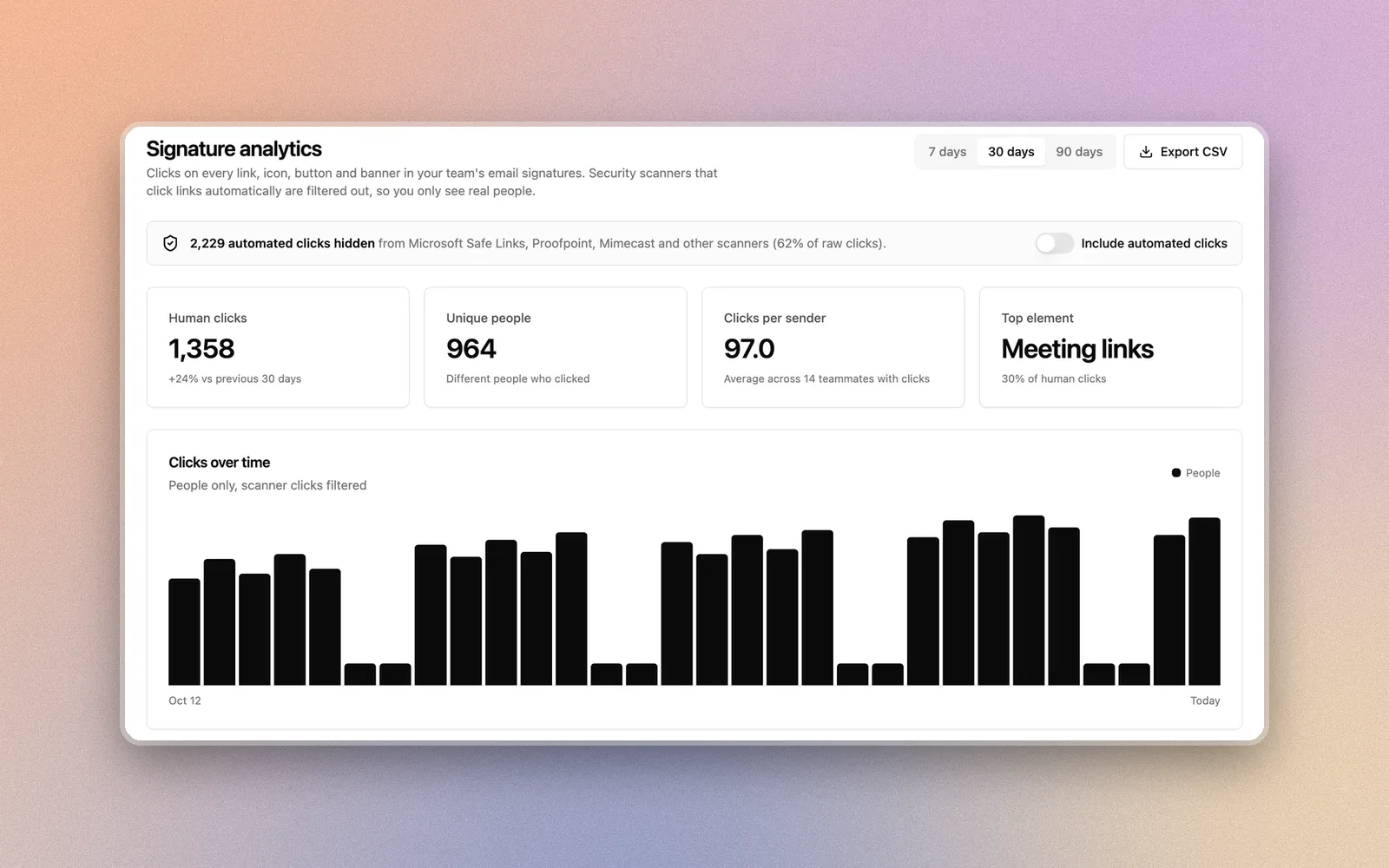
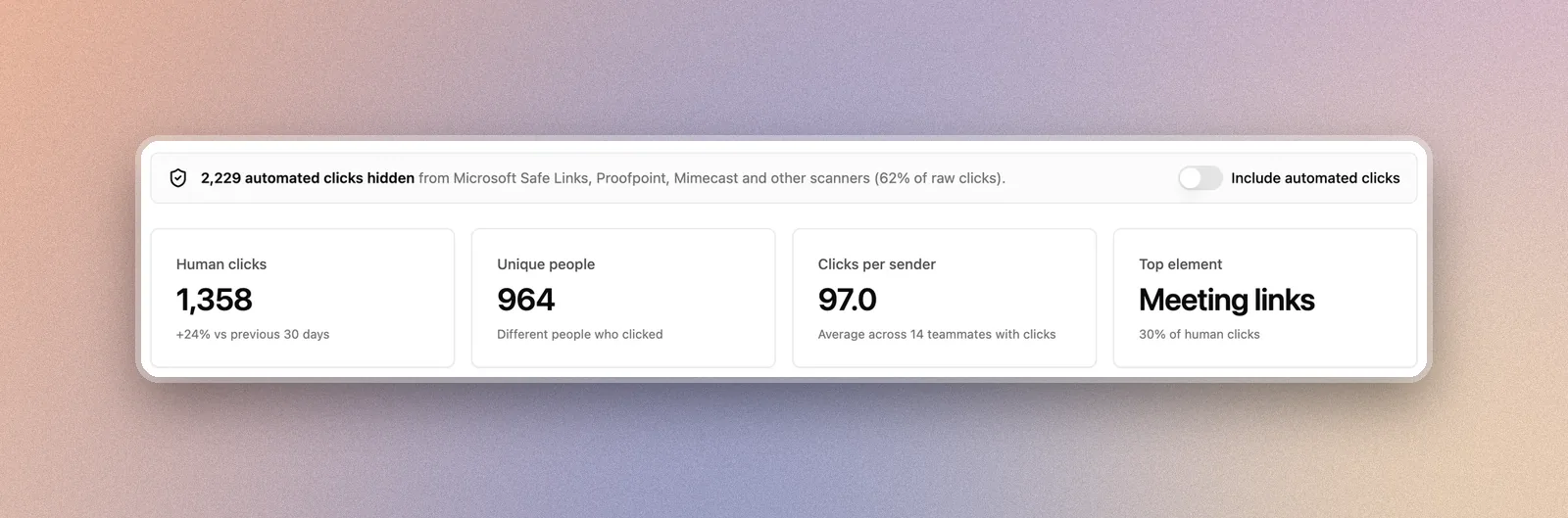
Firma’s signature analytics uses the redirect method for every teammate’s signature on Google Workspace and Microsoft 365, and adds UTM tags (utm_source=email_signature) to links that point to your own site. Clicks from security scanners, link previews and bursts of automated hits are detected and hidden by default, with a toggle to see the raw total. The Analytics page shows clicks over time, top links, clicks by signature element, by teammate and by banner campaign. Recipient IP addresses are never stored.
FAQ
Can you track clicks on a Gmail signature for free?
Yes, with UTM tags. Add them to the links that point to your website and read the traffic in Google Analytics under Traffic acquisition. It won’t show clicks on social or booking links, or which teammate sent the email.
Can you see who clicked a link in my email signature?
Not by name. Click tracking shows that a link was clicked, when, and roughly where from (country). Identifying the person would require them to sign in or fill in a form on the destination page.
Why can’t I track clicks on my phone number or email address?
tel: and mailto: links open the phone dialer or mail app on the reader’s device. No web request is made, so there’s nothing to count.
Does click tracking hurt email deliverability?
Redirect links on a reputable domain are common in business email. Problems come from link shorteners with a bad reputation or links that don’t match the visible text. Use a tool whose tracking domain is consistent and keep the visible link text honest.
How long does it take to see clicks?
Redirect tracking records clicks immediately. Google Analytics usually shows them in real-time reports within minutes and in standard reports within a day.
Cristian Cabrera, Founder of Firma
I built Firma so your team can have beautiful, consistent, professional email signatures — while you drink your coffee ☕️ instead of setting them up by hand for every new hire. It works like a charm with Google Workspace and Microsoft 365, and it doubles as a new marketing channel — announce a launch or promo right from everyone's signature. 😍 Here's my LinkedIn if you'd like to connect.